1000-day free trial — no credit card needed

Your pills, on your TV. Your parents, always okay.

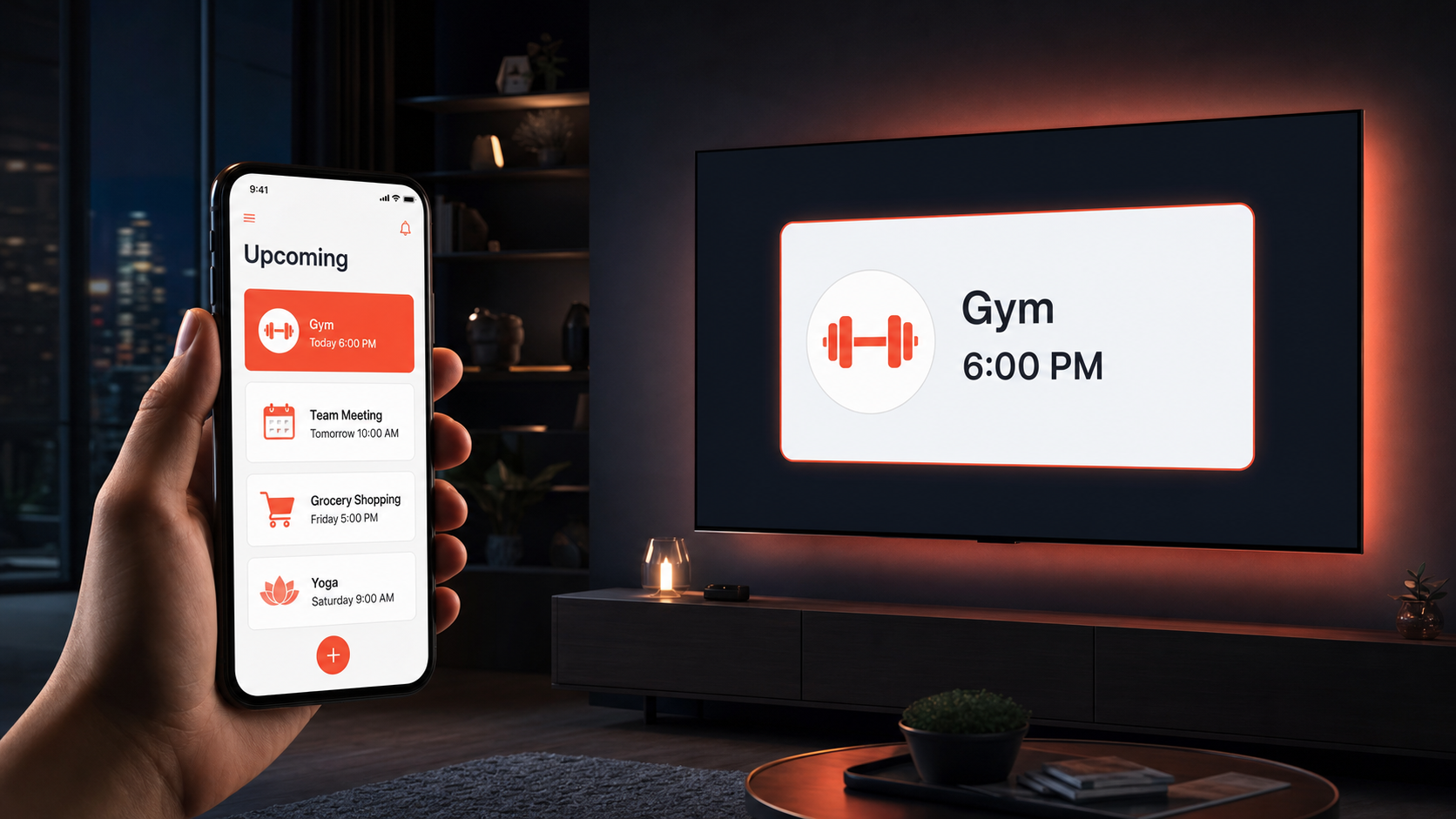
Lunona reminds seniors to take their medication right on the TV screen. Family gets notified only if something's wrong. No new technology. Just peace of mind.

Get it on Google Play

Also on APK & Web, Amazon, Huawei AppGallery

9 hrs+ seniors spend watching TV every day
3 in 4 seniors have at least one chronic condition
39% of missed doses happen simply because they forgot
94% improvement in medication adherence
Who is Lunona for?

One app. Two lives made easier.

For You — Senior You already know your medication. Lunona just makes sure you never forget it. While you watch TV, a gentle reminder appears on screen. Press OK on your remote. That's it. No new app to learn, no smartphone to figure out.
  • Reminder appears on your TV while you watch
  • Press OK with your remote — nothing else needed
  • If you miss it, your phone reminds you after a short delay
  • Your family worries less — fewer "did you take your pills?" calls
  • If the TV is off, it wakes up automatically for your reminder
For Family — Caregiver Stop setting alarms to call them. Know they're okay — automatically. Set their entire medication schedule from your own phone. Lunona reaches them on their TV. You hear from Lunona only if a dose is missed or something needs your attention.
  • Manage their schedule remotely — from anywhere
  • See their screen exactly — know what they see on TV
  • Alert only if a dose is missed or no morning check-in response
  • Schedule "Good morning, are you okay?" safety check-ins
  • Invite siblings as monitors — share the care
How it works

Set up once. Works forever.

01
Caregiver sets the schedule From their own phone, the family member adds medications, measurements, and check-ins. Takes 5 minutes. Requires zero tech skills from the senior.
02
Reminder appears on TV At the scheduled time, a gentle overlay appears on the TV screen — without interrupting the show. The senior sees it immediately.
03
Senior confirms with remote Press OK. Done. No touchscreen, no menus, no new technology. Just the remote they've always used.
04
Family stays informed All good? No notification. Dose missed or no response? Caregiver gets alerted immediately. Worry-free days for everyone.
Everything included

Not just a pill reminder.

📺
TV Pill Reminders Transparent overlay while watching any app. Show keeps playing. Senior confirms with the remote.
🩺
Vitals Tracking Blood pressure, glucose and more — scheduled, logged, charted. PDF reports ready for the doctor.
📅
Smart Doctor Reminders Enter the date once. Lunona auto-sets reminders: day before, hours before, time to leave.
Morning Safety Check-ins “Good morning, everything okay?” on TV. No response after retries? Caregiver is alerted automatically.
🔴
SOS on the Remote The red button becomes an SOS. Press it — caregiver notified instantly. No phone, no app.
👨‍👩‍👧
Full Family Access One Care Manager with full control. Invite siblings as monitors. Up to 6 seniors on one TV.
What families say

Real people. Real peace of mind.

★★★★★

"Dad was forgetting his blood pressure pills almost every other day. Since Lunona, he hasn't missed a dose in 3 months. The daily 'did you take your pills?' calls are finally gone."

Maria K. · Daughter, Athens
★★★★★

"I'm 71 and not big on technology. But I just press OK on my remote — same thing I've always done. My daughter set everything up. I barely notice it's there."

Nikos P. · Retired, Thessaloniki
★★★★★

"Both my parents are on it — Mom for diabetes, Dad for cholesterol. Two schedules, one TV. I get one notification only if something's off. That's all I needed."

Elena S. · Caregiver, Chicago
Simple pricing

One price. No surprises.

Less than a coffee per month. The value it provides is much greater.

🎁 Start Free — no credit card
$1
/ month / per account — cancel at any time
  • Unlimited family member connections and TV devices
  • All reminder types — pills, vitals, check-ins, doctor appointments
  • SOS alerts with GPS location for emergencies
  • PDF health reports ready for any doctor or specialist
  • Unlimited caregiver connections
  • TV application supporting up to 6 seniors per TV
  • Manage your parents' subscriptions from your own account
  • Caregiver can pay for a senior's account
Start Your Free Trial

No credit card · Cancel anytime

FAQ

Everything you want to know.

23 questions, honest answers.

It is ideal for anyone — typically 50 years and older — who takes daily medication to manage high cholesterol, diabetes, or any other chronic condition, and for their family members who want peace of mind.
Most seniors — especially those 65 and older — spend a large part of their day watching TV: Netflix, news, sports, daily series. Lunona takes advantage of this everyday habit. A discreet, transparent notification appears on screen without interrupting their show. With just their remote, they confirm they took their pills. Lunona records it and immediately updates caregivers if there is any reason for concern.
Lunona does all of this for you. You no longer need daily alarms. Even if your parents are not tech-savvy, you set up their schedule from your own phone. Lunona reaches them on their TV or phone. You are only notified if a dose is missed or there is a reason for concern. Your calls can go back to just catching up and enjoying each other's company.
Every senior needs a smartphone (Android or iPhone). We highly recommend an Android TV — if the current TV is not a smart Android TV, an Android TV box costs under $50. A single TV supports up to 6 seniors in the same household. Each caregiver needs their own smartphone and account. The ecosystem is fully scalable by simply linking accounts together.
Do not worry. Alarms are saved directly on the senior's devices in advance — they ring even without internet. If the TV is in standby, the app automatically wakes it up just before the reminder. The senior also has the Lunona app on their mobile phone as a backup reminder.
Every new account includes a full 1000 free trial. After that, the cost is only $1 per month per account (billed yearly) or $1.60/month billed monthly. Each account connects to unlimited other accounts and TV devices. A caregiver can also pay for the senior's account directly from their own profile.
Much smarter than a calendar. You enter the date and time once, and Lunona automatically sets the perfect reminders: the afternoon before, a few hours prior, and just before you need to leave. For appointments months away, it sends intermediate reminders too. Notifications appear on the senior's TV and phone, and on selected caregivers' phones.
The app generates specialized PDF reports tailored to each doctor's specialty. They include medication adherence history, vital sign measurements with clear charts, red flags for areas of concern, and any personal notes added by caregivers. You can generate and send these reports to your doctor at any time.
Not at all. The TV app runs entirely in the background. When a reminder appears over their show, the senior simply presses OK on their standard TV remote. There are no menus to navigate, no complex touchscreens, and no new technology to master.
Yes. You can invite other family members to connect to the senior's account. The primary caregiver (Care Manager) has full control to add or edit the medication schedule. Other members can be invited as Monitors with view-only access — they can see if a dose was taken and receive emergency alerts, but cannot accidentally change the routine.
Three ways: (1) Schedule specific alerts just for taking measurements. (2) Link a measurement reminder directly to a medication alert — e.g. "Measure blood pressure before this pill." (3) Manually enter a new measurement at any time without a scheduled alert. All recorded vitals generate statistics and clear charts for you and your doctor.
The Senior App on the mobile phone always acts as the Master Device and works 100% independently — no TV required. When a TV is connected: the notification appears on both simultaneously, but the phone has a built-in sound delay so two devices don't ring at the same time.
Lunona has a Remote Impersonation Mode. When the caregiver chooses to manage a parent's profile, a distinct red bar appears at the top clearly showing who is being managed. Below it, the caregiver sees the exact same interface as the senior's phone — as if they took it in their own hands from anywhere in the world.
Yes. Dual Accounts are supported. A special S/C toggle appears at the top of the screen — tap S for the senior interface, tap C for the caregiver dashboard. No logout needed.
Yes — up to 6 seniors on one TV. If two have a reminder at the exact same time, the screen splits symmetrically into 2, 4, or 6 frames so everyone sees their own message and pill photo simultaneously.
The caregiver can program the colored buttons on the remote (Red, Yellow, Green, Blue) with life-saving functions: Yellow = soft alert "Call me when you can." Red = SOS critical alert sent instantly to caregivers.
Yes. Custom Actions and Daily Check-ins are supported. The caregiver sets a flexible time window. If the senior does not respond after several retries on both TV and phone, Lunona sends a critical "No response" alert to the caregiver automatically.
Yes, with full respect for privacy. Mobile SOS captures exact GPS location and sends a map link to caregivers. TV SOS alerts caregivers that an emergency is at the senior's home. GPS is activated strictly at the moment of the alarm and only if explicitly permitted.
Absolutely. Three Smart Alert Modes: (1) All — receive everything. (2) Important Only — only deviations like missed doses or "Call me" messages ring. (3) SOS Only — complete silence except for critical emergencies. Bypasses even the phone's silent profile.
Inside the main app menu you will find "Luna" — your personal support chat. Luna is not just an automated AI tool; it is a direct line to real human beings on our team who provide active, hands-on support and personalized advice.
Through the Routine tab, tap "+ Add New" to create: Pill Reminders, Measurement Requests, Daily Habits, Safety Check-ins, and Medical Appointments. Notifications appear on the senior's TV as a large alert and on their mobile phone at the exact scheduled time.
Not at all. Lunona is designed to respect their rest. The system silently waits for the first sign of daily activity within that timeframe — such as turning on the TV or unlocking their phone. The message only appears after the app detects they are awake.
Step by step: (1) Flexible Time Window. (2) Friendly Message appears on TV or phone — can read aloud via Text-to-Speech. (3) Smart Retries with randomized waits. (4) Caregiver Alert only if all retries fail. (5) Full Transparency — the caregiver sees a TV Preview of exactly what the senior will see.

The pills are taken.
Everyone can relax.

Try Lunona free for 1000 days. No credit card required.

Get it on Google Play

Free for 1000 days · $1/month after · Cancel anytime