Phone + TV · Reminders that actually work

Never miss what matters again.

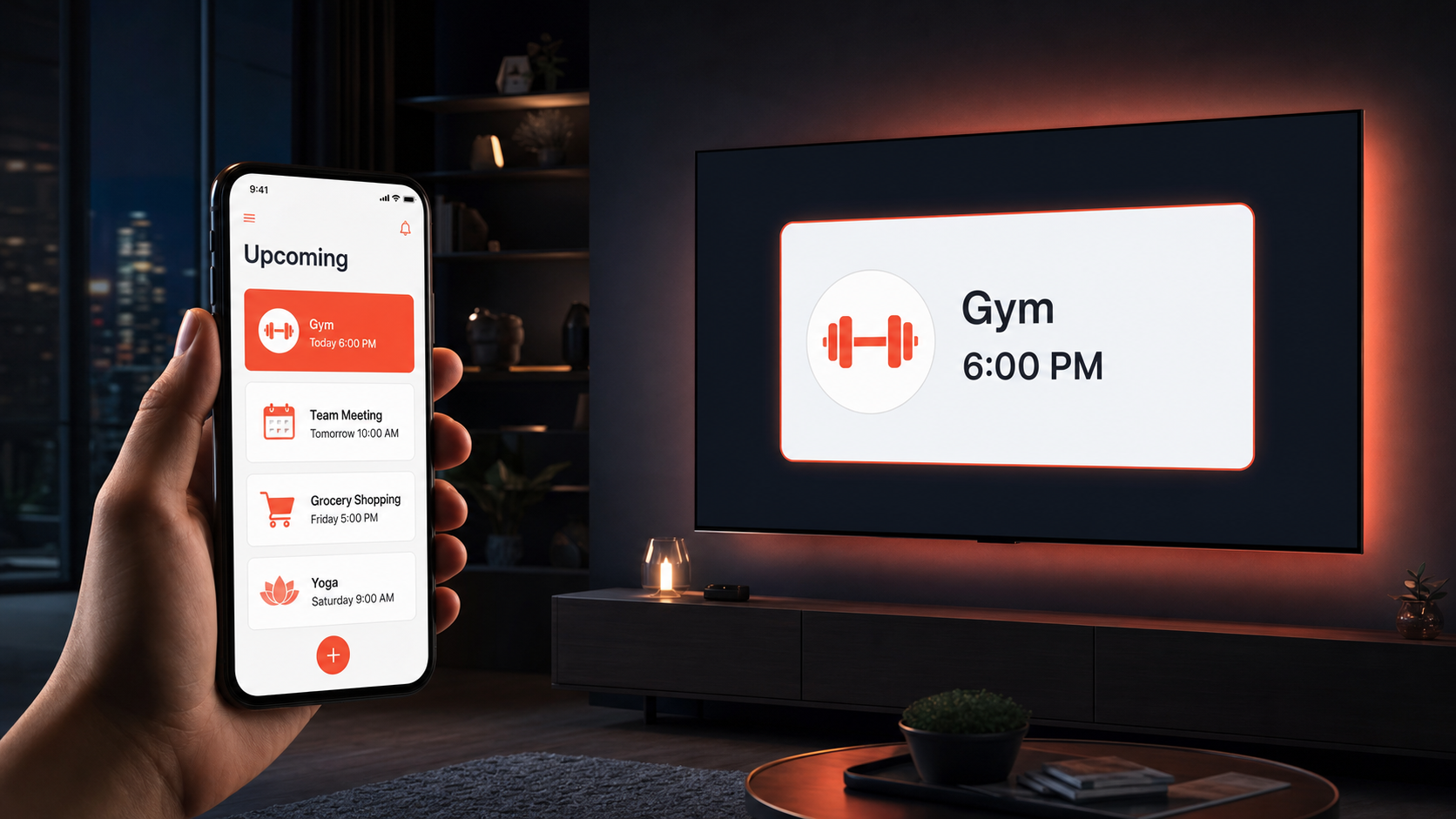
Reminders push to your phone and show up big on your TV — at the same time.

You're 2 episodes deep into your show and the phone is in another room. Lunona puts the reminder right where your eyes already are. Skincare, dermatologist, hair, period, vitamins, kids' practice, partner's birthday — all from one app, every screen, every person you care about.

Try Lunona Free Now
★★★★★ 4.8/5 from early users No credit card Free for early users
LIVING ROOM TV
22:30
Lunona · Reminder Now
Nightly skincare Remove makeup · retinol · moisturizer
22:30
Done
Snooze 10 min
Skip
★4.8/5
App rating
10,000+
Reminders / day
45
Languages
4 surfaces
Phone · TV · Web · PWA
The problem nobody talks about

Your phone beeps once.
Then it's gone.

Phone notifications get swiped. Calendars get ignored. Sticky notes fall off the fridge. The result? Missed gym days, forgotten appointments, last-minute birthdays, prescriptions that ran out.

1,460
The average person forgets 1,460 tasks every year u{2014} 4 things, every single day. Some of us forget 10+ per day. That's a lot of missed moments.
Source: Thortful Forgetful Survey, 2024
💪
Gym day · leg daySkipped 3 times this month
💊
Blood pressure pill · dailyForgot 4 mornings in a row
👩‍⚕️
Dermatologist · monthlyRescheduled 3 times
🎂
Mom's birthdayLast-minute gift, again
👶
Kid's piano pickupLate again — embarrassing
💧
Drink water · all dayHeadache by 4pm
💳
Electricity bill+€8 late fee
💇‍♀️
Hair appointmentBooked 6 weeks ago
💍
Anniversary · 5 yrsDon't be that person
The Solution

Reminders that don't hide.

One big, clear card on the screen you actually look at — your TV. While your show keeps playing. While your phone is in another room. While life is happening.

Visible from across the roomNo squinting at a phone screen at 6am
Stays until you confirm itNo more "I'll do it later" and forgetting
Doesn't pause Netflix or sportsSoft overlay — your show keeps running
Works when phone is silentThe whole family sees it. Nobody escapes.
Built for real life

Whatever your life looks like, Lunona fits in.

Lunona isn't built for one specific kind of person. It's built for anyone who has more in their head than they can hold. Here's how different people use it:

💼

The Professional

Career-focused · busy schedule
  • Gym days on the TV at 6am — no excuses, no snooze
  • Vitamins, supplements, water reminders throughout the day
  • Client follow-ups and deadlines while you cook dinner
  • Side project nudges so your dream doesn't die in a tab
💅

The Self-Care Pro

Routines · appointments · beauty
  • Dermatologist, esthetician, brow lift — never miss a monthly
  • Hairdresser rebooked 6 weeks out · the TV reminds you
  • Skincare routine — morning serum, evening retinol
  • Period tracking, vitamins, water — your body, scheduled
👨‍👩‍👧

The Family Manager

Kids · partner · the whole house
  • School pickups, piano, soccer — visible to the whole family
  • Partner's birthday, anniversary — never the "did you forget?" moment again
  • Bills, plumber, vet — household admin on autopilot
  • Family dinner Sunday — Grandma reminded too, on her own TV
❤️

The Long-Distance Caregiver

Looking after parents · partners
  • Set medication for Dad from your phone in another country
  • Doctor visits, blood tests appear on Mom's TV automatically
  • "Call your sister" nudge so she doesn't feel alone
  • Up to 6 profiles per TV — every loved one, one screen
How It Works

Set up in 60 seconds.
Use it for life.

Install on your phone (or sign up on the web), link your TV, and start adding what matters. Everything syncs automatically.

01
📱

Install & sign up

Free on your phone or in the browser. 30-second sign-up. No credit card. No commitment.

02

Add what matters

Gym, dermatologist, kids, vitamins, bills, birthdays — 3 taps. Smart categories. Voice input. Recurring rules.

03
📺

See it on every screen

Big overlay on your TV. Push on your phone. Web dashboard. PWA. Wherever you are, Lunona is there.

What can you remember?

Everything that matters.

From workouts to dermatologist visits, from birthdays to bills. Lunona handles real life, not just calendar events.

💪 Gym & workouts Leg day, cardio, streak
💊 Meds & vitamins Daily dose tracking
👩‍⚕️ Doctor visits With auto-escalation
💇‍♀️ Beauty bookings Hair, brows, nails
👨‍👩‍👧 Kids' schedule School, sports, pickup
🎂 Birthdays & anniversaries Days ahead, not minutes
💳 Bills & payments No more late fees
🧺 Daily routines Plants, laundry, trash
Phone vs. TV

Why your phone isn't enough.

Phone notifications are designed to be dismissed. Your TV is designed to be watched. We use both — but for different jobs.

📱❌
Just the phone
Beeps once.
Buried under 200 apps.
Silent at 6am.
📺✅
Lunona on TV
Stays until you see it.
Visible across the room.
Even when phone is silent.
"But I always have my phone…"

Good. Keep it.
We're not replacing your phone.

Lunona pushes every reminder to your phone at the exact same moment as your TV. The phone vibrates quietly so it doesn't bother you in a meeting. The TV shows it loud and visible — so you don't miss it when you're cooking, lounging, with the kids, or your phone is charging in another room.

Phone gets the same reminder — silentlyVibrate only by default, so it doesn't interrupt
TV gets the loud, visible versionThe whole room sees it. Including kids, parents, partner.
Especially powerful for kids 9+ and parents who sit in front of the TVThey don't need to learn an app — it just appears.
One reminder, every screen — nothing falls throughPhone + TV + web + PWA all light up at once
Phone + TV synergy

Two devices.
One unstoppable system.

The phone gives you control. The TV gives you visibility. Together they make sure nothing slips through.

📱
Phone

Create, edit,
manage everything.

Quick add, smart categories, recurring rules, voice input — your full control panel, always in your pocket.

Quick add in 3 taps
Voice input ready
Manage from anywhere
📺
Non-interrupting
TV

Big, persistent,
impossible to ignore.

Won't pause your show. Reminders appear as a soft overlay over Netflix, YouTube, sports — your TV keeps playing.

Visible from across the room
Stays until you confirm
Works when phone is silent
AI assistants + Lunona

ChatGPT and Gemini give you answers.
Lunona tracks and reminds.

AI assistants are amazing at answering questions and drafting things. But they can't persistently show something on the biggest screen in your home, sync across your family's devices, or keep going when nobody's asking. Lunona does the visible, persistent, family-shared layer. Use both.

🤖

AI assistants

ChatGPT · Claude · Alexa · Google Assistant

What they're great at:

Answering questions, summarizing, drafting
Suggesting what to do, when you ask
One-shot timers ("set a timer for 10 min")

What they can't do:

Persistently show a reminder on your TV
Sync the same reminder to your family's devices
Re-fire until you actually confirm
Show vitals, photos, doctor specialty PDFs
📺

Lunona

Phone · TV · Web · PWA · Family-shared

The visible, persistent, family layer:

Big, persistent reminders on TV — even mid-Netflix
Same reminder fires on phone, TV, web simultaneously
Up to 6 family profiles per TV with split screen
Remote setup for parents/kids/partner from your phone
Vitals, photo proof, doctor-specialty PDF reports
SOS & smart escalation for missed reminders
🤝
Use them together. Ask ChatGPT when to take your blood pressure pill — then put it in Lunona so you actually do it every morning. Ask Claude to draft a reply to your mom — then let Lunona remind you to send it. AI thinks. Lunona makes sure it happens.
The killer combination

Lunona feeds your AI the health context it doesn't have.

Ask ChatGPT or Claude about your headache and they'll give you generic advice — because they don't know your blood pressure trend, whether you took your meds this week, or how you slept. Lunona quietly logs all of it. With one tap, you share your health summary with your AI — and suddenly you get real, personalized answers based on your actual data.

📊
LUNONA tracks
💊 Meds taken (or missed)
❤️ Blood pressure trend
🩸 Glucose readings
😴 Sleep & mood
⚡ Symptoms & vitals
One-tap share
🤖
YOUR AI answers
"Your BP has been creeping up the last 5 days, you missed your evening med twice, and you only slept 4h last night. The headache is likely from…"
Personalized · evidence-based
👵
Especially powerful for older parents who don't wear smartwatches.

No Apple Watch. No Oura ring. No Fitbit. Just a TV in the living room — and Lunona builds the same health timeline most younger people pay + in gadgets for. Your AI gets the full picture. They get answers that actually fit them.

Lunona vs. the alternatives

What you're probably using now — and why it's not enough.

We compared Lunona against the most popular reminder apps (Any.do, Todoist, Apple Reminders, Google Calendar, Microsoft To Do) and the only other TV-based options on the market (JubileeTV, ONSCREEN). Here's where Lunona wins — and where it doesn't.

FeatureLunona UsAny.doTodoistAppleGoogleJubileeTVONSCREEN
Big reminders on TVPersistent overlay over Netflix/YouTube/sports
Phone + TV fire simultaneouslyPhone vibrates silently while TV shows it bigPartialPartial
Remote setup for someone elseSet reminders for your parents from your phoneShared listShared listShared listShared cal
Multi-profile per TVUp to 6 people share one TV without mixing reminders6 profiles
Works without phone in the roomPhone silent or charging elsewhere
Vitals tracking & PDF reportsFor dermatologist, GP, cardio specialistsHealth logs
Languages4520+20+40+50+EN onlyEN only
Hardware requiredBeyond your existing phone/TVNoneNoneNoneNoneNoneHub device$129–1$149 box
PriceFor full feature accessFree for early users then from $1/month$5.99/mo$4/moFree w/ iCloud+Free w/ Google$39/mo$29.99/mo + $129–$149

Pricing as of May 2026 based on public listings: Any.do, Todoist, Apple iCloud+, Google Workspace, JubileeTV, ONSCREEN. Apple Reminders and Google Calendar are technically free but require their respective ecosystems and don't have TV overlays.

The unfair advantages

7 things only Lunona does.

These aren't "nice to have" features. They're the actual reasons people switch from Any.do, Apple Reminders, or even competing TV apps.

01
📺

Transparent overlay on live TV

The only app that floats reminders over Netflix, YouTube, sports, and games without pausing them.

02
🔑

Remote Impersonation Mode

See and control your parent's profile remotely — with a red bar that makes it clear you're acting on their behalf.

03
👥

6 family profiles, 1 TV

Up to 6 family members share the same TV with split-screen reminders — nobody's stuff gets mixed up.

04
🎨

Color buttons → SOS

Map the red/green/yellow buttons on the TV remote to "SOS", "Call me when free", or any custom action.

05
📊

Vitals → PDF per specialty

Track blood pressure, glucose, mood. Auto-export PDF reports tailored to dermatologist, cardiologist, GP.

06
🔔

Smart auto-escalation

Missed a reminder? Lunona escalates: phone vibrate → TV alert → SMS to family → caregiver notification.

07

4 surfaces, 1 reminder

Phone, Android TV, web dashboard, and PWA all fire the same reminder at the same time. No single point of failure.

Loved by early users

Real people. Real wins.

★★★★★
"I used to forget my 6am gym day at least twice a week. Now the TV literally shows me 'Gym — Leg day' the moment I walk into the living room. I haven't skipped once in 3 weeks."
D
Dimitris K.Software dev · Athens
★★★★★
"My dermatologist, my brow lift, my hair, my supplements — all on the TV. I'm not constantly checking my phone calendar anymore. It just shows up when I'm relaxing."
E
Elena P.Marketing · Thessaloniki
★★★★★
"I set up Dad's medication reminders from Berlin. He's in Greece. He just sees them on his TV — no apps, no learning curve. He thinks the TV got smart."
N
Nikos M.Engineer · Long-distance son
★ Early User Offer

Free for early users.
Then from $1/month.

No credit card to start. Use everything — phone, TV overlay, web dashboard, remote family setup — free while you're an early user. Pricing for later is fluid and based on costs & tester feedback.

Unlimited reminders
Up to 6 profiles per TV
Phone · TV · Web · PWA
Remote family management
45 languages
$0/ today
Free for early users
Start Free Now
No credit card · Cancel anytime
FAQ

Quick answers.

It is ideal for anyone — typically 50 years and older — who takes daily medication to manage high cholesterol, diabetes, or any other chronic condition, and for their family members who want peace of mind.
Most seniors — especially those 65 and older — spend a large part of their day watching TV: Netflix, news, sports, daily series. Lunona takes advantage of this everyday habit. A discreet, transparent notification appears on screen without interrupting their show. With just their remote, they confirm they took their pills. Lunona records it and immediately updates caregivers if there is any reason for concern.
Lunona does all of this for you. You no longer need daily alarms. Even if your parents are not tech-savvy, you set up their schedule from your own phone. Lunona reaches them on their TV or phone. You are only notified if a dose is missed or there is a reason for concern. Your calls can go back to just catching up and enjoying each other's company.
Every senior needs a smartphone (Android or iPhone). We highly recommend an Android TV — if the current TV is not a smart Android TV, an Android TV box costs under $50. A single TV supports up to 6 seniors in the same household. Each caregiver needs their own smartphone and account. The ecosystem is fully scalable by simply linking accounts together.
Do not worry. Alarms are saved directly on the senior's devices in advance — they ring even without internet. If the TV is in standby, the app automatically wakes it up just before the reminder. The senior also has the Lunona app on their mobile phone as a backup reminder.
Every new account includes a full [TRIAL_PERIOD] free trial. After that, the cost is only $1 per month per account (billed yearly) or $1.60/month billed monthly. Each account connects to unlimited other accounts and TV devices. A caregiver can also pay for the senior's account directly from their own profile.
Much smarter than a calendar. You enter the date and time once, and Lunona automatically sets the perfect reminders: the afternoon before, a few hours prior, and just before you need to leave. For appointments months away, it sends intermediate reminders too. Notifications appear on the senior's TV and phone, and on selected caregivers' phones.
The app generates specialized PDF reports tailored to each doctor's specialty. They include medication adherence history, vital sign measurements with clear charts, red flags for areas of concern, and any personal notes added by caregivers. You can generate and send these reports to your doctor at any time.
Not at all. The TV app runs entirely in the background. When a reminder appears over their show, the senior simply presses OK on their standard TV remote. There are no menus to navigate, no complex touchscreens, and no new technology to master.
Yes. You can invite other family members to connect to the senior's account. The primary caregiver (Care Manager) has full control to add or edit the medication schedule. Other members can be invited as Monitors with view-only access — they can see if a dose was taken and receive emergency alerts, but cannot accidentally change the routine.
Three ways: (1) Schedule specific alerts just for taking measurements. (2) Link a measurement reminder directly to a medication alert — e.g. "Measure blood pressure before this pill." (3) Manually enter a new measurement at any time without a scheduled alert. All recorded vitals generate statistics and clear charts for you and your doctor.
The Senior App on the mobile phone always acts as the Master Device and works 100% independently — no TV required. When a TV is connected: the notification appears on both simultaneously, but the phone has a built-in sound delay so two devices don't ring at the same time.
Lunona has a Remote Impersonation Mode. When the caregiver chooses to manage a parent's profile, a distinct red bar appears at the top clearly showing who is being managed. Below it, the caregiver sees the exact same interface as the senior's phone — as if they took it in their own hands from anywhere in the world.
Yes. Dual Accounts are supported. A special S/C toggle appears at the top of the screen — tap S for the senior interface, tap C for the caregiver dashboard. No logout needed.
Yes — up to 6 seniors on one TV. If two have a reminder at the exact same time, the screen splits symmetrically into 2, 4, or 6 frames so everyone sees their own message and pill photo simultaneously.
The caregiver can program the colored buttons on the remote (Red, Yellow, Green, Blue) with life-saving functions: Yellow = soft alert "Call me when you can." Red = SOS critical alert sent instantly to caregivers.
Yes. Custom Actions and Daily Check-ins are supported. The caregiver sets a flexible time window. If the senior does not respond after several retries on both TV and phone, Lunona sends a critical "No response" alert to the caregiver automatically.
Yes, with full respect for privacy. Mobile SOS captures exact GPS location and sends a map link to caregivers. TV SOS alerts caregivers that an emergency is at the senior's home. GPS is activated strictly at the moment of the alarm and only if explicitly permitted.
Absolutely. Three Smart Alert Modes: (1) All — receive everything. (2) Important Only — only deviations like missed doses or "Call me" messages ring. (3) SOS Only — complete silence except for critical emergencies. Bypasses even the phone's silent profile.
Inside the main app menu you will find "Luna" — your personal support chat. Luna is not just an automated AI tool; it is a direct line to real human beings on our team who provide active, hands-on support and personalized advice.
Through the Routine tab, tap "+ Add New" to create: Pill Reminders, Measurement Requests, Daily Habits, Safety Check-ins, and Medical Appointments. Notifications appear on the senior's TV as a large alert and on their mobile phone at the exact scheduled time.
Not at all. Lunona is designed to respect their rest. The system silently waits for the first sign of daily activity within that timeframe — such as turning on the TV or unlocking their phone. The message only appears after the app detects they are awake.
Step by step: (1) Flexible Time Window. (2) Friendly Message appears on TV or phone — can read aloud via Text-to-Speech. (3) Smart Retries with randomized waits. (4) Caregiver Alert only if all retries fail. (5) Full Transparency — the caregiver sees a TV Preview of exactly what the senior will see.
Lunona works on both iPhone and Android phones with full feature parity — same reminders, same family controls, same SOS, same vitals tracking, same PDF reports. The only piece that requires Android is the TV app, because Apple TV does not allow third-party apps with the kind of system-level overlay Lunona uses on Android TV. If your relative uses an iPhone but their TV is an Android TV (or has an Android TV box), everything works perfectly together.
Three options, in order from cheapest to most premium:
  • Android TV box — $30–50 on Amazon (Onn, Chromecast with Google TV, Mi Box). Plugs into any TV with HDMI, turns it into a smart Android TV in 5 minutes. This is what most families do.
  • Replace the TV — Any TV labeled "Google TV" or "Android TV" works out of the box (TCL, Hisense, Sony, Philips). Starting around $200 for a 43-inch.
  • Skip the TV entirely — Lunona works 100% on the phone alone. You lose the always-visible reminder benefit, but every other feature works exactly the same.
Right now, only Android TV (and Google TV — same platform).
  • Apple TV does not allow apps to overlay on top of other content (Netflix, sports). Apple's restriction, not ours.
  • Roku has its own closed OS that doesn't support background overlay or remote-button mapping.
  • Amazon Fire TV is technically Android-based and we're testing it — some features already work, but we don't officially support it yet.

Workaround: plug an Android TV box into a different HDMI port on the same TV. The viewer keeps watching whatever they want; Lunona runs in parallel.

About 5–10 minutes for the phone, plus another 5 minutes for the TV. The longest part is choosing what to add — the technical setup is just install, log in, scan a QR code on the TV, done. You can set everything up from your own phone (as a helper) without ever touching the other person's device.
Yes, Lunona is fully GDPR compliant. Data is stored on encrypted servers inside the European Union (Germany), with full TLS encryption in transit and AES-256 at rest. We never sell, share, or analyze data for advertising — Lunona's only revenue is the subscription. You can export everything you've ever entered, or permanently delete the entire account and all associated data, from inside the app at any time. We comply with GDPR Article 15 (right of access), 16 (rectification), 17 (erasure / right to be forgotten), and 20 (portability). For California residents, we also comply with CCPA.
Cancel any time, directly from inside the app — Settings → Subscription → Cancel. No phone calls, no retention loops. Once cancelled, the account stays active until the end of the period you already paid for, then quietly stops billing. If you cancel within the first 30 days of paid use, we refund the full month or year, no questions asked. After that, refunds are pro-rated for unused time on yearly plans. The current free period for early users requires no card, so there's nothing to refund during that window.
45 languages at launch — Greek, English, Spanish, French, German, Italian, Portuguese, Polish, Romanian, Dutch, Swedish, Norwegian, Finnish, Danish, Czech, Hungarian, Bulgarian, Croatian, Slovak, Slovenian, Russian, Ukrainian, Turkish, Arabic, Hebrew, Hindi, Bengali, Mandarin (simplified and traditional), Japanese, Korean, Vietnamese, Thai, Indonesian, Malay, Filipino, Serbian, and several more. Each profile picks its own language independently — so a Greek grandfather can use Lunona in Greek while his American grandson uses it in English, all on the same family account.
One paid subscription = one person being reminded. Up to 6 paid people can share the same TV with split-screen. Family members who help (sons, daughters, partners) connect for free on their own phones — no subscription needed. So a typical pattern is: 1 paid main account + 4 free family helpers. For two parents, it's 2 paid accounts but they share the same TV at no extra cost.
No — Smart Appointment Reminders solve exactly this. When you enter an appointment that's three months away, Lunona schedules a sequence: a "save the date" notice, a reminder a month before, a week before, the afternoon before, a few hours before, and right before you need to leave. You configure none of this — it just happens. All reminders show on the phone AND TV, plus on every connected family member's phone. No single point of failure.
Yes — each medical specialty has its own dedicated report template (cardiologist, GP, diabetologist, pulmonologist, neurologist, psychiatrist, etc.). Two taps to generate a fresh PDF tailored to that specialty. The doctor sees only what's relevant to them — no clutter.
Yes. As long as the phone or TV has any internet connection — hotel WiFi, airport WiFi, mobile data, anything — reminders fire normally. If the internet drops, all alarms are stored locally on the device and ring on time without a connection. SOS button presses and no-response alerts queue up and deliver as soon as either device sees the network again.
Yes, completely. Each profile sets its own language independently. A Greek grandmother sees her TV reminders in Greek with Greek voice prompts. Her American grandson, on the same family account, sees his helper dashboard in English. When he programs a reminder for her — even typing it in English — Lunona shows it on her TV translated into Greek.
The whole point of Lunona's transparent overlay is that nothing you're watching ever stops or pauses. The reminder appears as a small, semi-transparent card in a corner of the screen. The Netflix episode, the football match, the news broadcast — all keep playing at full size and full sound underneath. You see the reminder, press OK on the remote (or ignore it — the app retries gently), and the card disappears. For super-critical moments, there's a "Watch this match" button that pauses non-emergency reminders for 90 minutes and resumes them automatically.
Lunona is specifically designed for non-tech-savvy users. The TV app has zero menus, zero touchscreen, zero passwords. The user only ever sees: a reminder appears on the TV, they press OK on the remote, and they're done. The complex stuff happens on the helper's phone, miles away.
They can snooze a single reminder, but not delete the schedule from the TV — that protects against accidental deletions. Only the helper can edit or remove items, from their own phone. There's also a "do not disturb" window the user (or helper) can set.
Yes. Lunona is being built to connect natively with the major AI assistants people already use every day. The plan covers four levels of integration:
  • Read access — the AI can see your reminders, vitals, and family schedule (with your permission)
  • Write access — the AI can add, edit, or remove reminders on your behalf
  • Smart summaries — the AI can produce reports, plans, and explanations from your Lunona data
  • Multi-profile management — one AI conversation can handle reminders for several people in your life

You stay in control: every action is logged inside Lunona, you can revoke AI access in two taps, and you can pick exactly which categories the AI sees.

MCP is an open standard that lets AI assistants connect to external apps in a structured, secure way. For Lunona, MCP means your Claude Desktop, ChatGPT, or any MCP-compatible AI can talk directly to your Lunona account — no copy-pasting, no screenshots. The AI can both read your data and perform actions, all logged and revocable. This makes Lunona one of the first family-and-life apps designed to play well with the next generation of AI assistants.
Yes — that's one of the main reasons we're building MCP integration. You can tell your AI assistant something like "gym Monday/Wednesday/Friday at 7am, hairdresser Tuesday 6pm, dermatologist Thursday 5pm — set it all up in Lunona and remind me 30 minutes before each one." The AI creates all the reminders in Lunona with the right pre-alerts. Works for family logistics too — one conversation can program reminders across multiple profiles.
AI assistants can spot things you'd never catch in raw logs. For example: "You've missed 4 of the last 6 Wednesday workouts. Each time, you had a work meeting that ran late the night before. Want me to move Wednesday workouts to lunchtime when you have late Tuesdays?" The AI looks at time of day, day of week, context, what reminders fired before, and surfaces patterns you wouldn't see by scrolling through a log.
Yes. Lunona uses AI internally for several smart features:
  • Smart Appointment Reminder scheduling — auto-generates the optimal sequence of reminders
  • Adherence pattern recognition — spots clusters of missed reminders
  • Natural-language input — type or speak "yoga every Tuesday and Thursday at 7" and Lunona structures the reminder
  • Multilingual translation of reminders between profiles in different languages
  • Auto-categorization — type "Dr. Smith Tuesday 4pm" and Lunona figures out it's an appointment
  • Smart no-response detection — knows the difference between "user is asleep" and "user is unresponsive"

Coming soon: an in-app assistant called Luna AI that answers questions about your own data, suggests routine improvements, and helps you set things up faster.

Yes, on multiple surfaces:
  • On the phone — natural-language input like "Add a reminder to call Anna every Sunday at 5"
  • On the TV — press-and-hold the remote OK button to open voice mode
  • Through Google Assistant — "Hey Google, ask Lunona what's next on my schedule"
  • Through Alexa (in evaluation) — same skill model

For users with vision issues or motor difficulties, voice support is being prioritized in every release.

Yes — phased rollout:
  • Phase 1 — notifications on Wear OS and Apple Watch, confirm with a tap
  • Phase 2 — wearable data flowing INTO Lunona from Fitbit, Garmin, Oura, Apple Health, Google Fit
  • Phase 3 — connected health devices like glucose monitors, blood pressure cuffs, and connected scales

We don't make our own hardware — we plug into what you already own.

Only when you explicitly turn it on, and only the categories you choose. Default state is "off."
  • Calendar — Google Calendar, Apple Calendar, Outlook (two-way sync)
  • Health — Apple Health, Google Fit / Health Connect
  • Family communication — share summaries or PDF reports via WhatsApp, iMessage, SMS, or email
Three apps means three places to remember, three places to check, three notifications fighting on your phone, and zero of them on your TV. Lunona puts all of it on one screen — the TV — that everyone in the house already looks at. The cost difference is meaningful too: Cozi charges $39.99/year, Medisafe Premium $49.99/year, a check-in app another $5–10/month — together that's $130+/year for fragmented features that don't talk to each other. Lunona is one app, one place, far less than that, with native AI integration.
Yes — for users who want to go further:
  • Webhooks — fire any URL when a reminder is missed, completed, or escalated
  • IFTTT and Zapier — pre-built recipes for non-technical users
  • Public API — for developers building family-care or productivity tools on top of Lunona's data
  • Home Assistant integration — if the TV is off when a reminder fires, blink a smart bulb or push to a smart speaker
Roadmap (subject to user feedback — early users vote on priorities):
  • MCP server for Claude / ChatGPT / Gemini integration — Q3 2026
  • Luna AI assistant inside the app — Q3 2026
  • Wear OS / Apple Watch companion — Q4 2026
  • Wearable data pull (Fitbit, Garmin, Apple Health, Google Fit, Oura) — Q4 2026
  • Multi-TV households (bedroom + living room — synced) — Q1 2027
  • TV calling — voice/video call from the TV remote — Q1 2027
  • Photo notes — attach a photo of the actual pill or device — Q4 2026
  • Public API + webhooks + Zapier/IFTTT — Q1 2027
  • Connected device integrations (Dexcom, Omron, Withings) — Q2 2027

We push updates monthly. Early users vote on what gets prioritized.

📺

Never miss what matters again.

Free for early users. No credit card. Cancel anytime. Install on your phone or sign up on the web — sync with your TV in under a minute.

Try Lunona Free Now
Free for early users · No credit card · Android phone, TV, web & PWA